


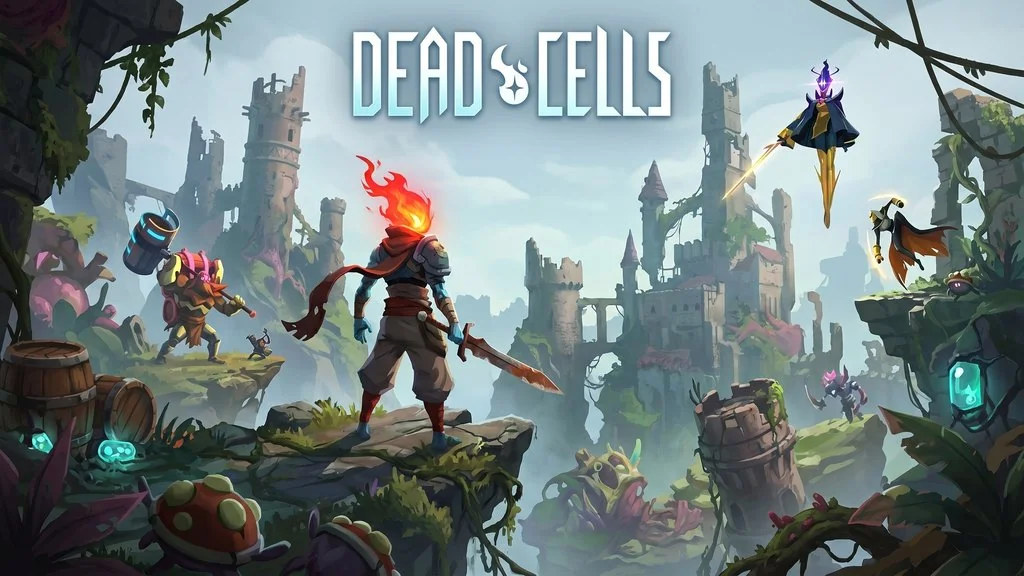
Dead Cells PC Full Version V 35 (Build 23762174)
Of course, who has not heard of Dead Cells? The legendary roguelite action-platformer from Motion Twin that makes you die thousands of times yet still keeps you hooked. Here I am sharing the game download link, full version build 23762174, just extract and play.
Developed by Motion Twin, this game was released on August 6, 2018 on Steam. It has an Overwhelmingly Positive 97% rating from tens of thousands of reviews.
The gameplay is a mix of roguelite and metroidvania. You explore a constantly shifting castle, fight monsters, and grab random weapons. Of course, every time you die, the world completely changes. Then you respawn stronger with permanent upgrades. Pretty awesome, right?
What makes Dead Cells special? The combat is incredibly fluent. Rolling, parrying, jump attacks – everything feels smooth. Plus there is a crazy variety of weapons: from swords, bows, to traps and magic skills.
For those who enjoy platformers like Terrariaor pixelated games like Necesse, Dead Cells has its own unique feel. It is more action-oriented with addictive roguelite progression.
Go ahead, download Dead Cells PC full version below. Size 2 GB, pre-installed!
Dead Cells PC Game Info & Download (Pre-Installed) :
- Genre: Action, Adventure, Indie, Roguelite, Platformer
- Developer: Motion Twin
- Publisher: Motion Twin
- Release Date: August 6, 2018 (PC)
- Engine: Proprietary
- Installer Pre-Installed, Steamless + Goldberg, Single Part
Included DLCs :
- Dead Cells – Rise of the Giant
- Dead Cells – The Bad Seed
- Dead Cells – Fatal Falls
- Dead Cells – The Queen and the Sea
- Dead Cells – Return to Castlevania
System Requirements :
| Component | Minimum | Recommended |
|---|---|---|
| OS | Windows 7+ | Windows 10+ |
| Processor | Intel Core i5-2500 / AMD FX-6300 | Intel Core i5-7600 / AMD Ryzen 5 2600 |
| RAM | 4 GB | 8 GB |
| Graphics | NVIDIA GTX 660 / AMD Radeon HD 7870 | NVIDIA GTX 1060 / AMD RX 580 |
| DirectX | Version 10 | Version 11 |
| Storage | 2 GB | 2 GB SSD |
PC Gameplay Screenshots :


How to Install Dead Cells on Your PC :
- Download DCELLS-yasir252.rar (2.2 GB) via the links below.
- Extract the file using WinRAR or 7-Zip latest version.
- Open the game folder, find the deadcells.exe file and run it.
- Run as Administrator.
- Add the game folder to Windows Defender Exclusions so it does not get deleted.
- Enjoy the game!
Dead Cells Full Version (Build 23762174)
www.yasir252.comTroubleshooting Dead Cells Errors, Crashes and Stuck Issues :
- Game will not run? Check antivirus, make sure no game files are deleted or quarantined.
- Goldberg emulator error? Make sure the game folder is whitelisted in Windows Defender.
- Save progress lost? Run the game as Administrator.
- Game crashes on loading? Update DirectX Runtime and Visual C++ Redistributable.
