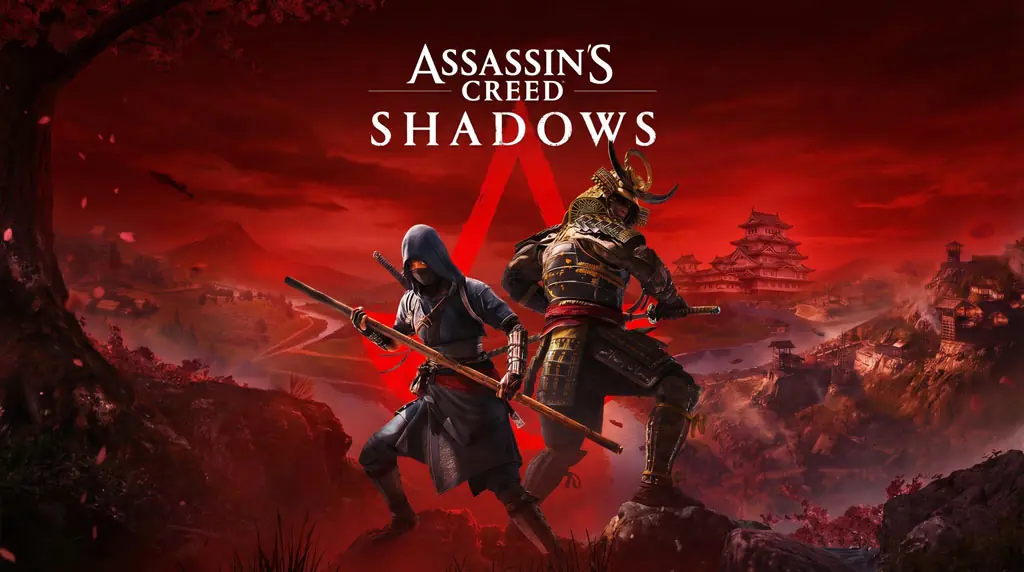
Assassin’s Creed Shadows (v1.1.11)
The latest Assassin’s Creed, set in 16th century Japan. Assassin’s Creed Shadows PC Full from Ubisoft takes you to the Sengoku era, playing as two characters: Naoe (Shinobi) and Yasuke (Samurai). Download link is below. Just install and play. 🔥
Ubisoft finally gave us that classic AC gameplay vibe again. But unfortunately… Ubisoft is still Ubisoft. They pulled a move gamers hate: in-game microtransactions. Indeed, the game is fun. But the DLCs are priced higher than the game itself… It’s a mess.
What makes Shadows different from other AC series? Two characters with very different playstyles. Naoe for stealth, Yasuke for brutal combat. The feudal Japan map is incredibly atmospheric, especially with dynamic weather. Of course, the graphics are much better than AC Black Flag Resynced. Can you imagine that, folks?
Metacritic and user reviews say this is “the best AC in years.” But some say the map is too big and empty, the side quests are repetitive. Overall, for those who like open-world action in feudal Japan, this game is still worth it. If you want to try another denser open-world, check out Atomic Heart.
Please download below. Size 104 GB. 👍
Game Info & Link Download :
- Genre: Action, Adventure, RPG, Open World
- Developer: Ubisoft
- Publisher: Ubisoft
- Release Date: March 20, 2025 (PC)
- Version: v1.1.11 (June 23, 2026)
- Repack installer (Voices38)
- Remake of AC Japan with upgraded graphics
Minimum System Requirements :
| Component | Minimum | Recommended |
|---|---|---|
| Operating System | Windows 10/11 (64-bit) | Windows 10/11 (64-bit) |
| Processor | Intel Core i7-8700K / AMD Ryzen 5 3600 | Intel Core i5-11600K / AMD Ryzen 5 5600X |
| RAM | 16 GB | 32 GB |
| Graphics Card | NVIDIA GTX 1650 (4GB) / AMD RX 5500 XT | NVIDIA RTX 3060Ti / AMD RX 6700 XT |
| DirectX | Version 12 | Version 12 |
| Storage | 200 GB (SSD Required) | 200 GB (SSD Required) |
PC Gameplay Screenshots :


Steps to Install Assassin’s Creed Shadows :
- Download the ISO file (89 GB) from the link below.
- Mount the ISO using Daemon Tools or Windows Explorer.
- Run setup.exe.
- Install the game, choose the installation directory.
- Also install Patch Fix.
- Wait for the installation process to complete.
Troubleshooting Game Error, Crash & Stuck :
- Game won’t run? Check your antivirus, make sure all game files are whitelisted in Windows Defender.
- Crash during loading? Update DirectX Runtime and Visual C++ Redistributable to the latest version.
- Crash during startup? Run the game as Administrator, try compatibility mode.
- Reserved for other cases…