




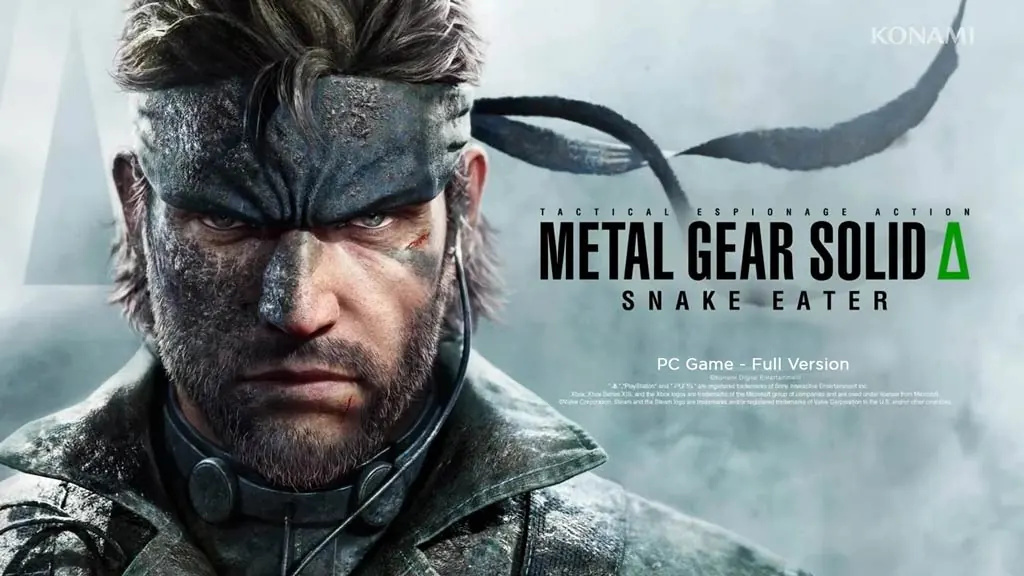
Metal Gear Solid: Snake Eater (v1.2.4)
Set in 1964, Snake is sent into a Soviet jungle on a rescue mission that ends in betrayal. Metal Gear Solid Snake Eater (v1.2.4) is a full remake of the original MGS3. The story and world remain the same, but Unreal Engine 5 rebuilds them from the ground up. I’ll share the download link here. For me, this is the survival-stealth remake I’ve been looking forward to most. 🔥
It’s also where the entire Metal Gear saga begins. You play as Naked Snake, an agent sent to rescue Sokolov, a scientist trying to defect from the Soviet Union. Behind that mission, there’s a massive betrayal.
The story is complex, the combat feels distinctive, and there are plenty of twists.
Stealth still revolves around camouflage, hunting for survival, and treating your own wounds. You can choose the new, modern controls or stick with the classic control mode. In terms of vibe, it has a lot in common with 007 First Light and Death Stranding 2.
Download Metal Gear Solid Snake Eater for PC below; the ISO is only 75 GB. 👍
Game Info and Download Links :
- Genre: Action, Stealth, Adventure, Survival.
- Developer: Konami Digital Entertainment.
- Publisher: Konami.
- Release Date: 28 August 2025
- Version: v1.2.4 (Build 21521628)
- Pre-installed, Direct Download, All DLC Included.
System Requirements :
| Component | Minimum | Recommended |
|---|---|---|
| Operating System | Windows 10 / 11 (64-bit) | Windows 10 / 11 (64-bit) |
| Processor | Intel Core i5-8600 / AMD Ryzen 5 3600 | Intel Core i7-8700K / AMD Ryzen 5 3600 |
| RAM | 16 GB | 16 GB |
| Graphics Card | NVIDIA RTX 2060 Super (8 GB) | NVIDIA RTX 3080 |
| DirectX | Version 12 | Version 12 |
| Storage | 118 GB (SSD recommended) | 118 GB (SSD recommended) |
PC Gameplay Screenshots :


Steps to Install Metal Gear Solid Snake Eater on Your PC :
- Download MTLGRSLDSE124-yasir252.rar (113 GB) from a link below.
- Extract it with WinRAR or 7-Zip. Password: www.yasir252.com.
- Open the extracted game folder.
- Run MGSDelta.exe or the game .exe as administrator.
- Enjoy the game! 😊
Troubleshooting Game Errors, Crashes, and Freezes :
- Game crashing on startup? Make sure the game folder is added to the Windows Defender exclusion list. (No files are automatically deleted or moved to quarantine.)
- Game crashing while loading? Update DirectX Runtime and the latest Visual C++ Redistributable.
- Game won’t launch? Run it as administrator and update Windows.
- Stuttering or uneven frame pacing? Update your graphics driver and turn off V-Sync.
- Always store and extract the game at a drive’s root, such as C:\Games\ or D:\Games\.
- … Reserved for other cases …
