




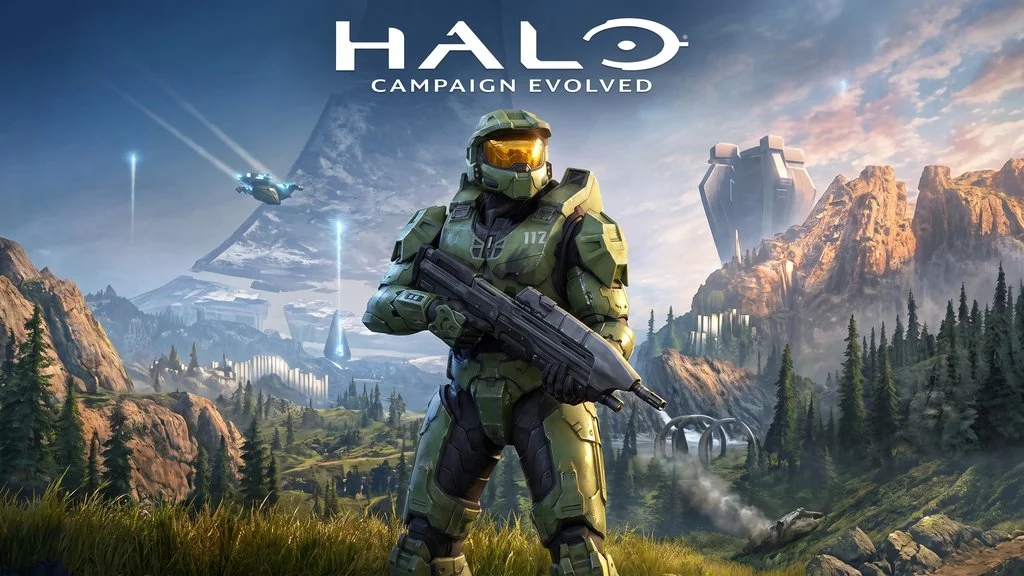
Halo: Campaign Evolved (Build 24670874)
A legendary sci-fi FPS is back on PC. Halo: Campaign Evolved PC Full is a remake of Master Chief’s first campaign, and you play as a Spartan super-soldier stranded on a massive Halo ring, fighting the Covenant and the Flood parasite. It’s pre-installed, so just extract and play, link download available below. 🔥
The story begins when the UNSC Pillar of Autumn crashes on the Halo ring. Master Chief has to fight through Covenant forces, find his AI companion Cortana, and discover that Halo is a weapon of mass destruction designed to defeat the Flood. Gameplay mixes FPS combat with vehicle sections. You can drive a Warthog, a Scorpion tank, and a Banshee. Its weapons are iconic, from the Assault Rifle to the Energy Sword.
Each chapter has a different feel. Some are packed with action in open areas, while others turn into survival horror when the Flood appear.
If you like action FPS games, DOOM: The Dark Ages is worth checking out. For a Soviet sci-fi FPS, try Atomic Heart: Ultimate Edition.
Go ahead and download it below. It’s 72 GB and pre-installed. 👍
Game Info and Download Link :
- Genre: Action, Adventure.
- Developer: Halo Studios.
- Publisher: Xbox Game Studios.
- Release Date: 28 Jul, 2026.
- Version: Build 24670874.
- Pre-installed, just extract and start playing.
- Single-player Only!
Computer Specifications Table :
| Component | Minimum | Recommended |
|---|---|---|
| Operating System | Windows 11 | Windows 11 |
| Processor | AMD Ryzen 5 3600 / Intel Core i7-10700K | AMD Ryzen 7 7700 / Intel Core i7-12700K |
| RAM | 16 GB | 32 GB |
| Graphics Card | AMD RX 6600 / Intel Arc A580 / NVIDIA RTX 2060 Super | AMD RX 9070 / NVIDIA RTX 3080 Ti |
| Storage | 100 GB | 100 GB |
PC Gameplay Screenshots :


Steps to Install on Your PC :
- Download the HCPMEV.rar file (72 GB) and HLOUPD1.rar file (12.2 GB) through the links below.
- Extract both files using WinRAR or 7-Zip.
- Optional: Run the update file from HLOUPD1.rar.
- Point the update to the main game folder.
- Run Start The Game.bat or HaloCampaignEvolved.exe.
- That’s it, start playing! 😍
Troubleshooting Game Errors, Crashes, and Freezes :
- Game crashes on startup? Make sure no game files were deleted or quarantined by your antivirus.
- Game won’t launch? Run it as Administrator.
- Missing DLL or another error? Install Visual C++ Redistributable and DirectX Runtime.
- … Reserved for other cases …
