




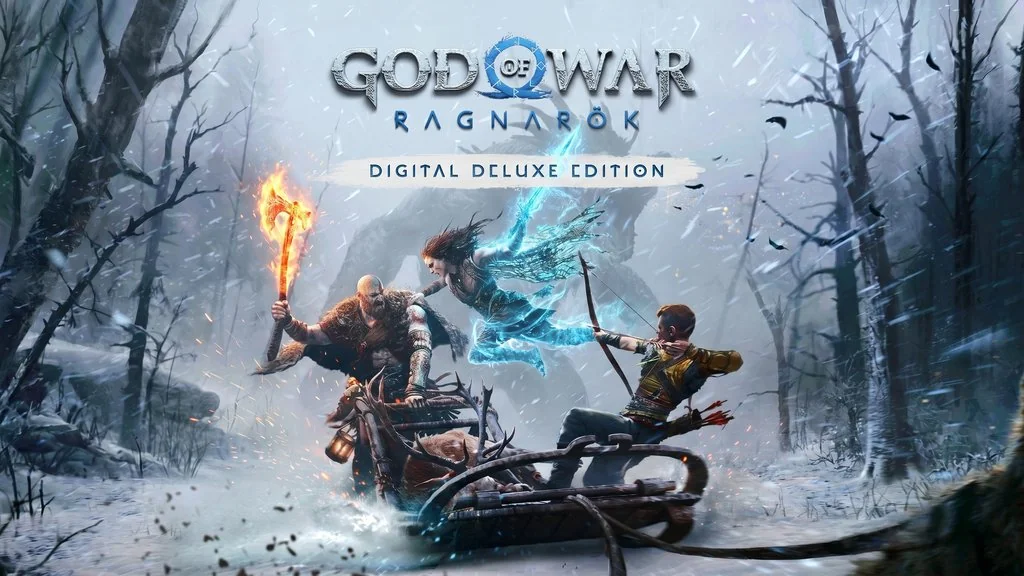
God of War Ragnarok (v1.0.668)
Have you played God of War (2018)? If so, its sequel is well worth trying. God of War Ragnarok PC Full continues Kratos and Atreus’s story in Norse mythology on a far grander scale than its predecessor. I’ve put the pre-installed v1.0.668.5700 download link below. 🔥
Santa Monica Studio released the game, which holds a Very Positive Steam rating from tens of thousands of reviews. Critics scored it 94/100 on Metacritic. Honestly, it’s one of the best games of its generation.
The story picks up right after God of War (2018). Kratos and Atreus face the foretold apocalypse, Ragnarok. Combat remains brutal and satisfying, with more variety in weapons and skills.
The boss fights? They’ll give you chills, not hard yet still quite challenging.
The PC version includes every DLC: Soundtrack, Pre-purchase Entitlement, Digital Deluxe Edition Upgrade, and Digital Artbook. It’s also pre-patched and ready to play. Great.
If you like legendary action RPGs, try Gothic 1 Remake, recently remade with equally impressive visuals. Or, if you want to follow Kratos’s story from the beginning, God of War is the prequel to play first.
Game Info and Download :
- Genre: Action, Adventure, RPG.
- Developer: Santa Monica Studio.
- Publisher: PlayStation Publishing LLC.
- Release Date: September 19, 2023 (PC Port).
- Engine: Internal Engine (Santa Monica Studio).
- Pre-Installed, Direct Link, Single Part.
System Requirements :
| Component | Minimum | Recommended |
|---|---|---|
| Operating System | Windows 10 64-bit | Windows 10 64-bit |
| Processor | Intel i5-2500K / AMD Ryzen 5 1200 | Intel i7-4770K / AMD Ryzen 5 1500X |
| Memory | 8 GB RAM | 16 GB RAM |
| Graphics Card | NVIDIA GTX 960 (4GB) / AMD R9 290X (4GB) | NVIDIA GTX 1660 Ti / AMD RX 5600 XT |
| Storage | 190 GB HDD | 190 GB SSD |
Included DLCs : Soundtrack, Pre-purchase Entitlement, Digital Deluxe Edition Upgrade, Digital Artbook
PC Gameplay Screenshots :


Steps to Install God of War Ragnarok on Your PC :
- Download GOWRG-yasir252.rar (114 GB) from the links below.
- Extract the file using the latest WinRAR or 7-Zip.
- Open the extracted folder and run GoWR.exe directly.
- Enjoy the game! 😍
Troubleshooting Game Errors, Crashes, and Stuck Screens :
- Game crashes on startup? Make sure your antivirus has not deleted or quarantined any files!
- Stuck on the loading screen? Update DirectX and your GPU drivers to the latest versions.
- Audio crackling? Set Windows audio to 16-bit, 48000 Hz in the Sound Control Panel.
- Controller not detected? Connect it before launching the game, or use the Steam Input wrapper.
- Not enough RAM? The game requires at least 16 GB, with 32 GB recommended.
