




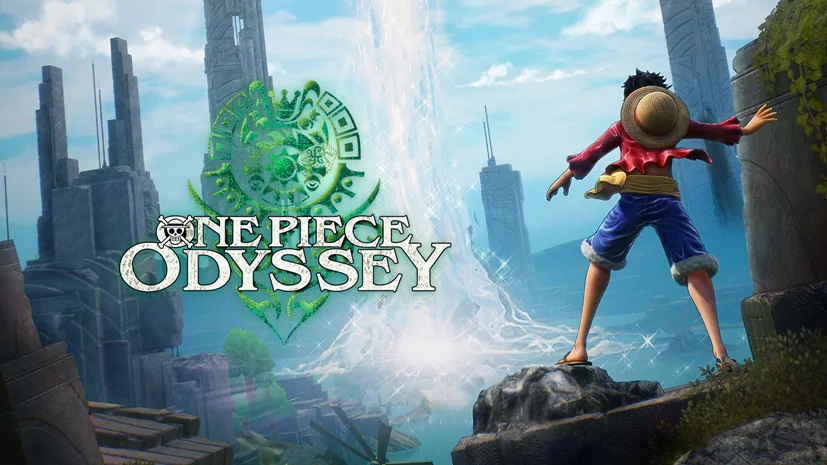
One Piece Odyssey Deluxe Edition (v2.01)
The most ambitious One Piece RPG ever made by Bandai Namco. One Piece Odyssey Deluxe Edition v2.01 PC Full from ILCA is not a fighting game like Pirate Warriors. Totally different! It is actually a turn-based RPG with an original story written directly by Oda. All Straw Hat crew can be played, each with unique roles. Pre-installed, all DLC. I will share the download link below. 🔥
The Straw Hat crew lands on the mysterious island of Waford and loses their powers. To get them back, they must go through “Memoria”, a world of memories that replays iconic moments from the Alabasta and Marineford arcs. Long-time fans will absolutely love this.
The Deluxe Edition includes all DLC and extra costumes. But the story pacing is a bit slow at the beginning.
Luffy stretches to reach high places, Chopper squeezes into narrow gaps, Zoro breaks rocks. The combat is turn-based but designed to be quite simple, using an elemental system. But it is good, like a JRPG.
Go, download One Piece Odyssey now. Size 33 GB, pre-installed. 👍
If you like anime adaptation games, you might also like Demon Slayer or you can also play Naruto x Boruto Ultimate Ninja Storm Connections, both are a fighting game. Same vibe, different genre!
Game Info and Download Links :
- Genre: Action, Adventure, Anime, RPG.
- Developer: ILCA, Inc.
- Publisher: Bandai Namco Entertainment.
- Release Date: January 13, 2023 (PC).
- Deluxe Edition, Pre-Installed v2.01, All DLC.
Minimum System Requirements :
| Component | Minimum | Recommended |
|---|---|---|
| Operating System | Windows 10/11 64-bit | Windows 10/11 64-bit |
| Processor | Intel i5-6600 / Ryzen 5 2400G | Intel i5-8400 / Ryzen 3 3100 |
| RAM | 8 GB | 16 GB |
| Graphics Card | GTX 780 / Radeon R9 290X | GTX 1660 / RX 590 |
| Storage | 40 GB HDD | 40 GB SSD |
| Resolution | 1920×1080 | 4K |
PC Gameplay Screenshots :


Steps to Install One Piece Odyssey on Your PC :
- Download the ONPCODY201-yasir252.rar file (33 GB) from the link below.
- Extract the file using WinRAR or 7-Zip.
- Open the extracted folder, run odyssey.exe as Administrator.
- Wait until the game finishes loading.
- Done! 😍
Troubleshooting Game Error, Crash & Stuck :
- Game crash on startup? Check antivirus, make sure game folder is whitelisted in Windows Defender.
- Crash during loading? Update DirectX Runtime and Visual C++ Redistributable to the latest version.
- Game won’t open? Run as Administrator and update Windows to the latest version.
- Stuttering and lag? Update GPU driver and turn off V-Sync.
- Disable Windows UAC before starting the installation process.
- Reserved for other cases…
