




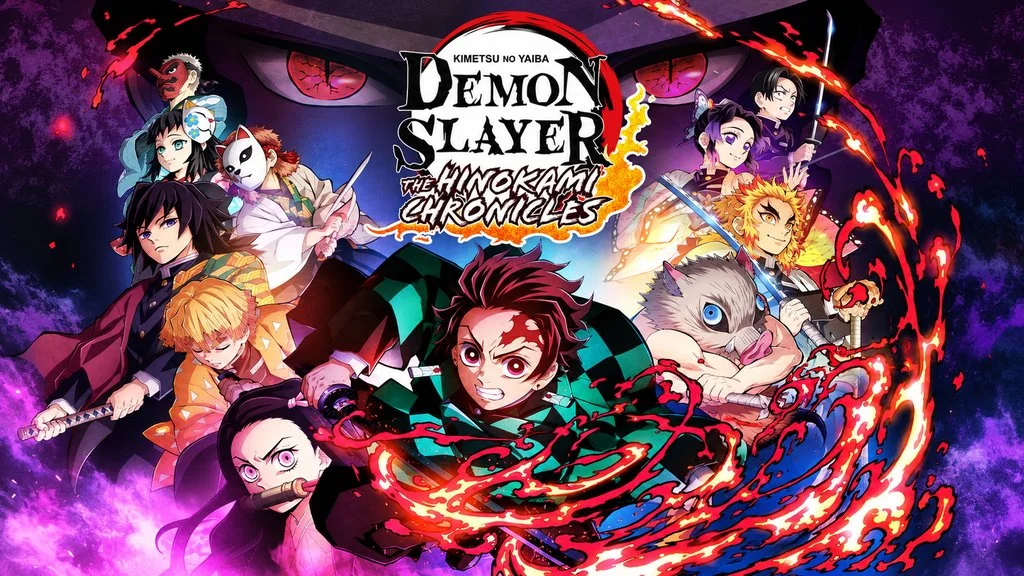
Demon Slayer: The Hinokami Chronicles (v1.83)
Tanjiro only has his sword and determination, but here, you decide which combos he uses to cut down demons. Demon Slayer The Hinokami Chronicles PC Full is a fighting game based on the first Demon Slayer anime series, developed by CyberConnect2 and published by SEGA. The fire effects look incredible, and the slashes feel almost 3D, so every iconic anime technique feels real with simulated particles. This pre-installed version is 25 GB; extract it and grab the download link below. 🔥
The story follows the anime’s plot, from Tanjiro joining the Demon Slayer Corps to the Mugen Train arc with Rengoku. The roster has 24 characters, including Tanjiro and Nezuko, along with demons such as Akaza and Rui. In my opinion, it’s especially fun if you’ve memorized the characters’ techniques from the anime. Demon Slayer fans should give this game a try.
Besides Demon Slayer, I have also shared Jujutsu Kaisen: Cursed Clash, which also pits anime characters against each other through their iconic techniques. If you prefer DBZ Super Saiyan battles, you can also try Dragon Ball: Sparking! Zero, which goes even bigger in scale.
Use the link below to download Demon Slayer The Hinokami Chronicles. 👍
Game Info and Download Link :
- Genre: Action, Adventure.
- Developer: CyberConnect2.
- Publisher: SEGA.
- Release Date: October 15, 2021.
- Version: v1.83 (Build 10714413) -Voices38.
- Status: Pre-Installed, ready to play.
Minimum System Requirements :
| Component | Minimum | Recommended |
|---|---|---|
| Operating System | Windows 8.1 64-bit | Windows 10 64-bit |
| Processor | Intel Core i5-2400 / AMD Phenom II X6 1100T | Intel Core i5-3470 / AMD FX-8350 |
| RAM | 6 GB | 6 GB (8 GB for 60 FPS) |
| Graphics Card | NVIDIA GTX 660 2GB / AMD Radeon HD 7950 3GB | NVIDIA GTX 760 2GB / AMD Radeon R9 280 4GB |
| Storage | 25 GB | 25 GB |
PC Gameplay Screenshots :


Steps to Install Demon Slayer: The Hinokami Chronicles on Your PC :
- Download DEMOv183.rar (25 GB) through the link below.
- Extract the file using WinRAR or 7-Zip.
(password www.yasir252.com) - Open the extracted folder, then run Start The Game.bat (Run As Administrator).
- Enjoy fighting and slashing demons to the end! 😈
Troubleshooting Game Errors, Crashes and Stuck Issues :
- Does the game crash at startup? Make sure the game folder is whitelisted in Windows Defender.
- Crashes during loading? Update DirectX Runtime and the latest Visual C++ Redistributable.
- Won’t the game launch? Run it as Administrator and update Windows.
- Stuttering or choppy performance? Update your graphics driver and turn off V-Sync.
- Always extract the game to the root drive, such as C:\Games\ or D:\Games\.
- … Reserved for other cases …
