




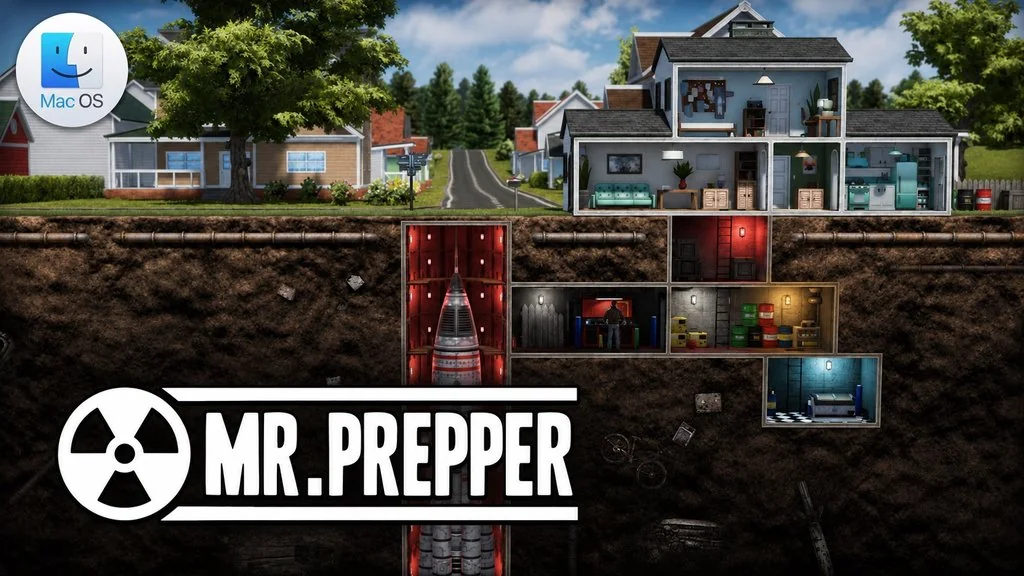
Mr. Prepper (MacOS)
Have you ever wondered what you would do if a nuclear war really happened? Mr. Prepper invites you to prepare ahead of time through a survival crafting game set in a country that gets crazier by the day. Mr. Prepper himself lives in a land that used to be free, until the new government changed everything. You have to obey and love the President. If not, the ever-secretive Agency will start keeping an eye on you.
Mr. Prepper chooses to make a secret plan. The only way to hide it is to build an underground bunker and assemble a machine that will help him get out of all this.
You can build machines and facilities to survive, from farms and greenhouses to vehicles. On the other side, you have to avoid parties such as the police and intelligence who are nosy about your plan.
If you want another game that is also about scavenging and survive in the middle of a crisis, there is This War of Mine: Complete Edition. Or try the survival sandbox Project Zomboid (MacOS).
Download Mr. Prepper MacOS for free below if you want to try building a bunker and play right away. 👍
Mr. Prepper Free Download – Game Info
- Genre: Simulation, Survival Crafting, RPG, Indie.
- Developer: Rejected Games.
- Publisher: PlayWay S.A. and Rejected Games.
- Release Date: March 18, 2021.
- Version: v1.44x for MacOS.
- Mr. Prepper MacOS Direct Download – Pre-Installed. Include DLC.
- Native ARM (Apple Silicon) and x86 (Intel) 64-bit.
- Full Audio: English. Single-player.
System Requirements
| Component | Minimum | Recommended |
|---|---|---|
| Operating System | macOS 10.13 | macOS 10.13 |
| Processor | Intel Core i5 8259U 2.3 GHz | Intel Core i5 3.4 GHz |
| RAM | 8 GB | 8 GB |
| Graphics Card | NVIDIA GTX 775M 2 GB, AMD Radeon 555 2 GB, or Intel Iris Plus 655 | AMD Radeon Pro 570 |
| Storage | 6 GB | 6 GB |
PC Gameplay Screenshots


Installation Steps
- Download the file MRPv144xm.zip (3.1 GB) via the link below.
- Extract the ZIP file, no password.
- Open the Setup folder, then double-click the .dmg file.
- Drag MrPrepper.app to the Applications folder.
- Open the game from Launchpad.
NOTE: If an “app is damaged” message appears or the game won’t open, run sudo xattr -rd com.apple.quarantine /Applications/MrPrepper.app in Terminal.
