




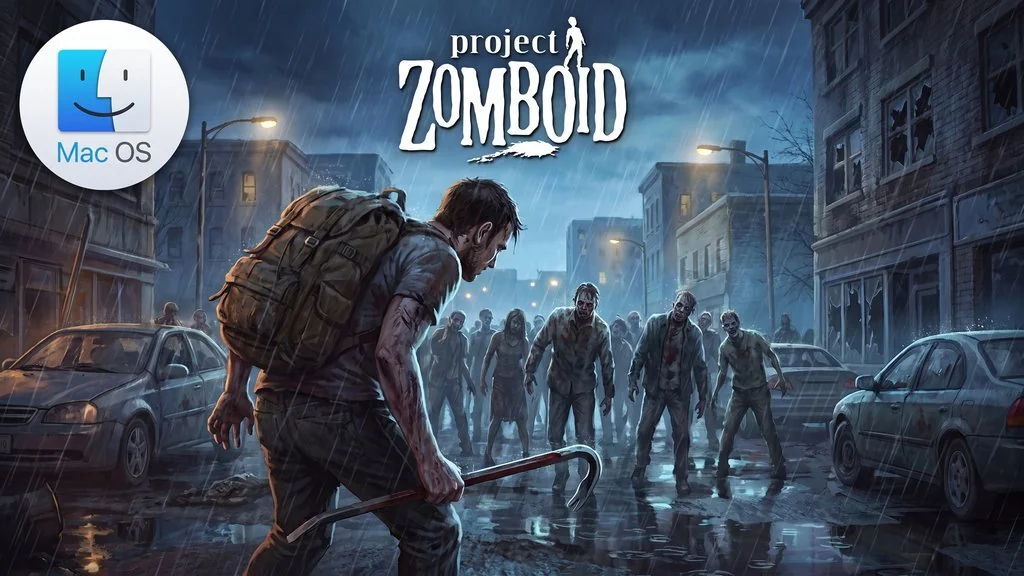
Project Zomboid (v42.20.4) MacOS
The people of Knox County never expected their town to fill with the undead, attacking every human in sight. Project Zomboid Mac (v42.20.4) leaves you alone in the wreckage with nothing but survival instincts. It’s not a zombie action game where you mow down hordes with a shotgun. You’re a survivor who thinks twice before opening a door, because one bite means game over.
That makes it a highly realistic game where every small decision counts. Hunger, thirst, sleepiness, and boredom all affect your character through a simulation system that I think is really good.
From a looted house, you can build a fortress, grow vegetables, and even drive a car around town. This way of surviving in a wild world reminds me of Don’t Starve Together, except the zombies here are realistic and far deadlier. But yeah, it’s a nightmare to learn. Insanely hard.
The graphics still feel old-school too, and dying over and over from misreading a situation is normal.
For those who prefer zombie games where you manage a community over pure survival, State of Decay 2 Juggernaut is a fitting alternative.
Download Project Zomboid for Mac now and start playing right away. 👍
Project Zomboid Free Download – Game Info
- Genre: Indie, RPG, Simulation, Survival.
- Developer: The Indie Stone.
- Publisher: The Indie Stone.
- Release Date: November 8, 2013 (Early Access).
- Version: v42.20.4.
- Project Zomboid MacOS Direct Download – Mac version, ready to play right after install.
- PKG installer for MacOS, just install it and start playing.
- Single-player.
System Requirements Mac
| Component | Minimum |
|---|---|
| Operating System | OS X 10.15 or later (64-bit) |
| Processor | Intel x86 / Apple Silicon |
| RAM | 8 GB |
| Graphics Card | AMD or Intel Integrated (nVidia on Mac is not compatible) |
| Storage | 10 GB |
Mac Gameplay Screenshots


Installation Steps
- Download the file PZOM42204mac-yasir252.rar (4.91 GB) using the link below.
- Extract the file using The Unarchiver or Keka, and enter the password “www.yasir252.com”.
- Double-click project_zomboid_enUS_42_20_4_.pkg, then follow the installer instructions.
- If a security warning appears, open System Settings > Privacy & Security > Open Anyway.
- Launch Project Zomboid. Enjoy the game! 😇
