




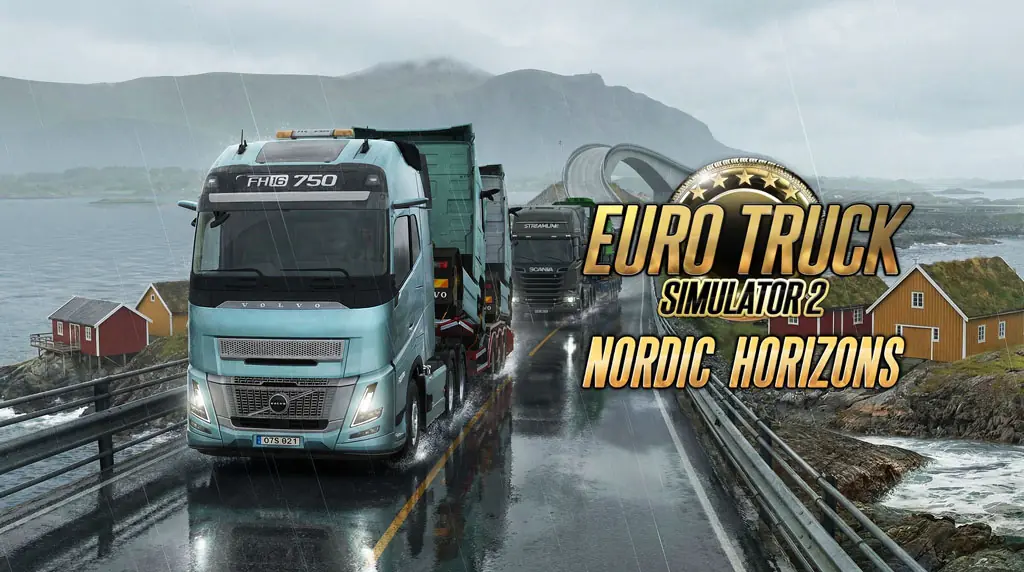
Euro Truck Simulator 2 (v1.60.1.7s Build 23966373)
Wanna play the ETS 2 on PC? This time, Yasir252 Game will share the Euro Truck Simulator 2 Full download link for free. The world’s most popular truck-driving simulator returns with the latest DLC update. 😁
I often play this game when I want to “heal” in front of the monitor. The peaceful atmosphere while driving along European roads in the rain feels… peaceful. Completely calming. I first played ETS 2 on a “potato” laptop, and it still ran well. The graphics look much better now, but the game still feels surprisingly light. 🤔
When I compared it with driving simulators like Taxi Life A City Driving Simulator, ETS 2 is still the “best,” especially when it comes to interior detail. Its world is even comparable to Forza Horizon 5, despite the different genre. It is huge and packed with content.
But this is not a racing game. You focus on fuel management and delivery schedules (logistics).
Download ETS 2 through the link below. I’d tested the game, and it is working on Windows 11 Pro 25H2. 😊
Euro Truck Simulator 2 Game Info and Download Link :
- Title: Euro Truck Simulator 2
- Genre: Casual, Simulation
- Developer: SCS Software
- Publisher: SCS Software
- Release Date: 17 Jan, 2013
- File Size: 36 GB
- Version: v1.60.1.7s (Build 23966373)
- Pre-Installed, includes all DLC, Single-player
System Requirements :
| Component | Minimum | Recommended |
|---|---|---|
| OS | Windows 7/8/10 64-bit | Windows 11 64-bit |
| CPU | Intel Core i3 CPU 2.4 GHz (Gen 7) | Intel Core i5 CPU 3.0 GHz (Gen 12) |
| RAM | 16 GB | 32 GB |
| GPU | NVIDIA GeForce GTX 660 or AMD | NVIDIA GeForce GTX 1660 or AMD |
| DirectX | Version 11 | Version 11 |
| Storage | 25 GB HDD | 25 GB SSD |
PC Gameplay Screenshots


Steps to Install Euro Truck Simulator 2 on Your PC :
- Download the ERTRKSLR16017s-yasir252.rar file (36 GB) through the link below.
- Extract the file using the latest WinRAR or 7-Zip.
- Run Start The Game.bat as Administrator.
- Enjoy the game!
Troubleshooting Errors, Stuck Issues, and Crashes :
- Game crashing at startup? Make sure the game folder is whitelisted in Windows Defender.
- Crash during loading? Update DirectX Runtime and Visual C++ Redistributable to the latest version.
- Crash at startup? Run the game as Administrator and update Windows to the latest version.
- Stuttering and lag? Update the VGA driver and turn off V-Sync.
- Disable Windows UAC before starting the installation process.
- Always extract the game to the root drive. For example, C:\Games\ or D:\Games\.
- Gamepad not detected? Connect it via USB cable, then enable Steam Input from the menu.
- … Reserved for other cases …
