




DinoBlade (Build 24483272)
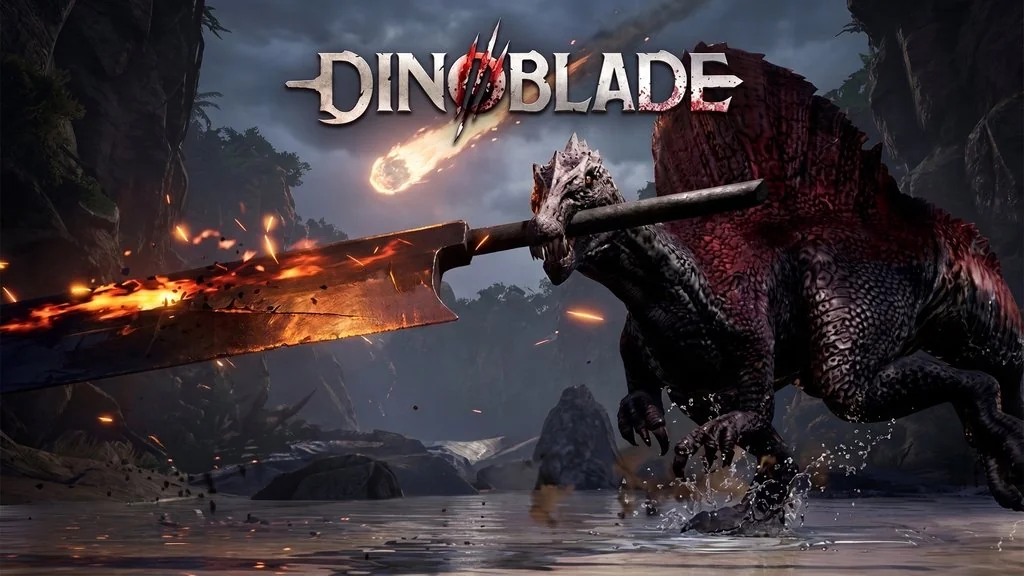
A dinosaur strolling around while holding a giant sword in its mouth. Pretty weird, right? DinoBlade Build 24483272 PC Full puts us in the claws of a young Spinosaurus that has to fight to survive in a brutal prehistoric world. The combat is souls-like, with dodge, parry, and combo systems. Every boss fight is genuinely challenging. Pre-installed, just extract and play. The download link is ready to grab in this article. 🔥
The setting is really unique. You are not a human, but a dino. The world is of course full of other dinosaurs. But…. every dino carries a weapon. Some use swords, some use shields, spears, and others. The gameplay is a mix of action RPG and souls-like, with stamina management, weapon upgrades, and a skill tree.
The graphics are unique, the prehistoric world is turned into something like the universe of the Dark Souls series. 😅
But for me, the camera angle is awkward at times. It makes you dizzy. Especially since the dino animations are also weird. Like it was too forced. But gameplay wise, it is solid. Good for messing around and looking for new entertainment.
Especially if you like hack and slash games, such as The First Berserker Khazan or Stranger of Paradise: Final Fantasy Origin. Both have super smooth combat. DinoBlade fits right in.
Go ahead and download it below. The size is 12 GB, pre-installed, just extract and play.👍
DinoBlade PC Game Info & Link Download :
- Genre: Action, Indie, RPG.
- Developer: Team Spino LLC.
- Publisher: Team Spino LLC, Boltray Games.
- Release Date: Jul 23, 2026.
- Version: Build 24483272.
- Pre-Installed, just extract and play. Single-player.
Minimum PC Specifications :
| Component | Minimum |
|---|---|
| Operating System | Windows 10 64-bit |
| Processor | Intel Core i5-7500 / AMD Ryzen 5 1600 |
| RAM | 4 GB |
| Graphics Card | NVIDIA GTX 1050 4GB / AMD Radeon RX 560 |
| DirectX | Version 12 |
| Storage | 13 GB |
PC Gameplay Screenshots :


Steps to Install DinoBlade on Your PC :
- Download the DNBD2448.rar file (12 GB) from the link below.
- Extract the file using WinRAR or 7-Zip.
- Run Start The Game.bat.
- If the game does not start, install the redistributables from the Redist folder (DirectX, PhysX, VC++).
- Done, jump straight into the game! 😍
Troubleshooting Game Errors, Crashes & Stuck :
- Game crashes at startup? Check your antivirus and make sure the game folder is whitelisted in Windows Defender.
- Crashing while loading? Update DirectX Runtime and the latest Visual C++ Redistributable.
- Game refuses to open? Run it as Administrator and update Windows to the latest version.
- Choppy and stuttering? Update your GPU driver and turn off V-Sync.
- … Reserved for other cases …
