




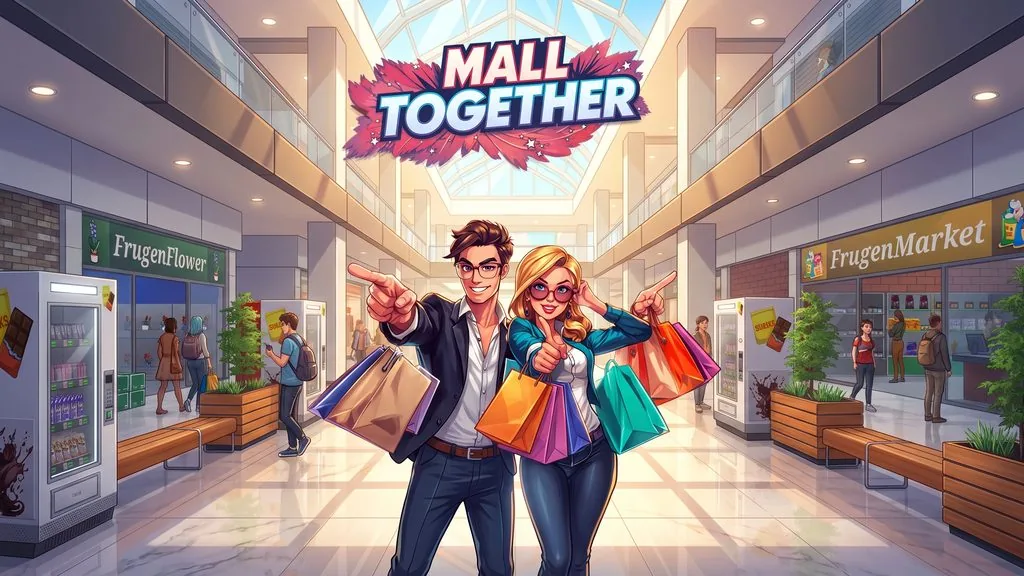
Mall Together (v1.20 Build 25671458)
You start in an empty mall, open your first shop, and man the cash register until shoppers arrive. Mall Together PC Full lets you build a mall business from scratch, managing all the stores and brands that want to set up shop. The download link is ready below, so just extract and play. 🔥
You lease shops and sign deals with famous brands. Then you still have to unbox deliveries and stock the shelves yourself, because you can’t afford employees yet.
Once shoppers start coming in, you scan their items at checkout and take cash or card payments. After a while, you use the profits to open the next shop and grow your mall.
I’ve covered two other games about running stores. In Supermarket Simulator, you build one supermarket from scratch, while Supermarket Chaos lets you manage a shop with friends.
Download Mall Together below. It’s 2.9 GB. 👍
Game Info and Download Link :
- Genre: Casual and Simulation.
- Developer: Business Tycoon.
- Publisher: Business Tycoon, Gamersky Games.
- Release Date: 24 July 2026.
- Version: v1.20 (Build 25671458).
- Pre-installed, direct download, includes all the latest updates.
- Single-player only.
Minimum System Requirements :
| Component | Minimum | Recommended |
|---|---|---|
| Operating System | Windows 7 / 8 / 10 64-bit | Windows 7 / 8 / 10 64-bit |
| Processor | Intel Core i5-9400F / AMD Ryzen 5 3600 | Intel Core i5-11400F / AMD Ryzen 5 5600X |
| Graphics Card | NVIDIA GeForce GTX 1050 / AMD Radeon RX 580 | NVIDIA GeForce GTX 1060 / AMD Radeon R9 290X |
| Storage | 3 GB | 3 GB |
PC Gameplay Screenshots :


Steps to Install Mall Together on Your PC :
- Download MLLv120.rar (2.9 GB) from the link below.
- Extract it with WinRAR or 7-Zip.
(Password: www.yasir252.com) - Open the extracted folder.
- Run Start The Game.bat as Administrator.
- Have fun! 🎮
Troubleshooting Game Errors, Crashes, and Freezes :
- Game crashes on startup? Make sure the game folder is whitelisted in Windows Defender.
- Crashes during loading? Update DirectX Runtime and the latest Visual C++ Redistributable.
- Game won’t open? Run as Administrator and update Windows.
- Checkout lines getting long and shoppers complaining? Add cashiers and stockers to speed up service.
- Lagging when the mall gets busy? Update your graphics driver and lower the graphics settings.
- Always extract the game to the root drive, for example C:\Games\ or D:\Games\.
- … Reserved for other cases …
