




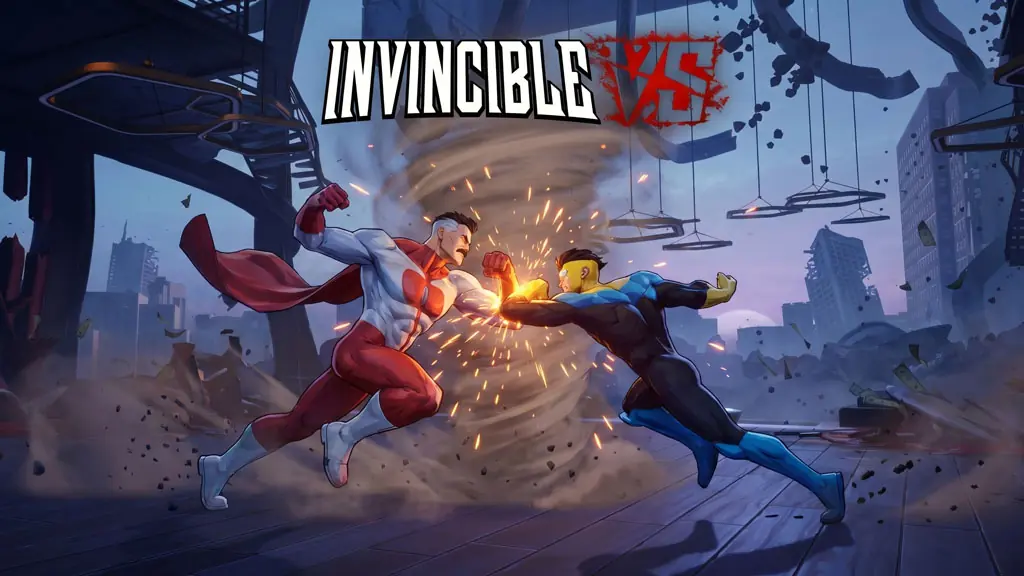
Invincible VS (Build 25944863)
It has been a while since I shared a brawling game, right? Have you guys tried Invincible VS PC Full (Build 25944863) yet? Well, Invincible VS is a fighting game adaptation of the superheroes and villains from the Invincible universe. This one is famously brutal and bloody. The graphics are unique too, straight up comic book style, folks. I already prepared the download link below, pre-installed, just play. 🔥
Mechanically, the game runs on a dynamic 3v3 tag fighting system. From there, the pace, fluidity, and smooth animation can all be compared to games like Hunter X Hunter Nen Impact or the Tekken series.
Every character has a different moveset, just like The King of Fighters XV. After that, swapping characters strategically feels really “exclusive” when executed right. What do you think about a tag team system like this?
On the flip side, the battle arenas are taken straight from iconic locations in the comic. Hmmm, total fan service. Cool! Unfortunately, the story content is short. Arcade is just a ladder, training has no combo trial, and matchmaking is empty.
Want to try this game? Download below. The size is 10.2 GB. 👍
Game Info and Download Link :
- Genre: Action, Adventure, Fighting, Arcade.
- Developer: Quarter Up.
- Publisher: Skybound Games.
- Release Date: April 30, 2026.
- Version: Build 25944863.
- Pre-Installed, Story Mode, Arcade, Training.
- Single-player, Full Controller Support.
Minimum System Requirements :
| Component | Minimum | Recommended |
|---|---|---|
| Operating System | Windows 10 | Windows 11 |
| Processor | Intel Core i5-9600KF / Ryzen 5 2600X | Intel Core i7-12700K / Ryzen 7 7700 |
| RAM | 16 GB | 16 GB |
| Graphics Card | GeForce RTX 2070 (VRAM 8GB) / Radeon RX 7800 (VRAM 8GB) | GeForce RTX 3070 (VRAM 8GB) / Radeon RX 6800 (VRAM 8GB) |
| DirectX | Version 12 | Version 12 |
| Storage | 15 GB available space | 25 GB available space |
PC Gameplay Screenshots :


Steps to Install Invincible VS on Your PC :
- Download the IVSVv4863.rar file (10.2 GB) from the link below.
- Extract the archive with the password www.yasir252.com.
- Open the InvincibleVS folder.
- Install the required components from the _CommonRedist folder.
- Run InvincibleVS.exe as Administrator.
- Done! 😁
Fixing Game Error, Crash and Stuck Issues :
- Game crashing at startup? Make sure the game folder is whitelisted in Windows Defender.
- Crashing while loading? Update DirectX Runtime and the latest Visual C++ Redistributable.
- Crashing at startup? Run the game as Administrator, update Windows to the latest version.
- Stuttering and frame drops? Update your GPU Driver and turn off V-Sync.
- Disable Windows UAC before starting the install process.
- Always extract the game on the Root Drive. For example in C:\Games\ or D:\Games\.
- … Reserved for other cases …
