




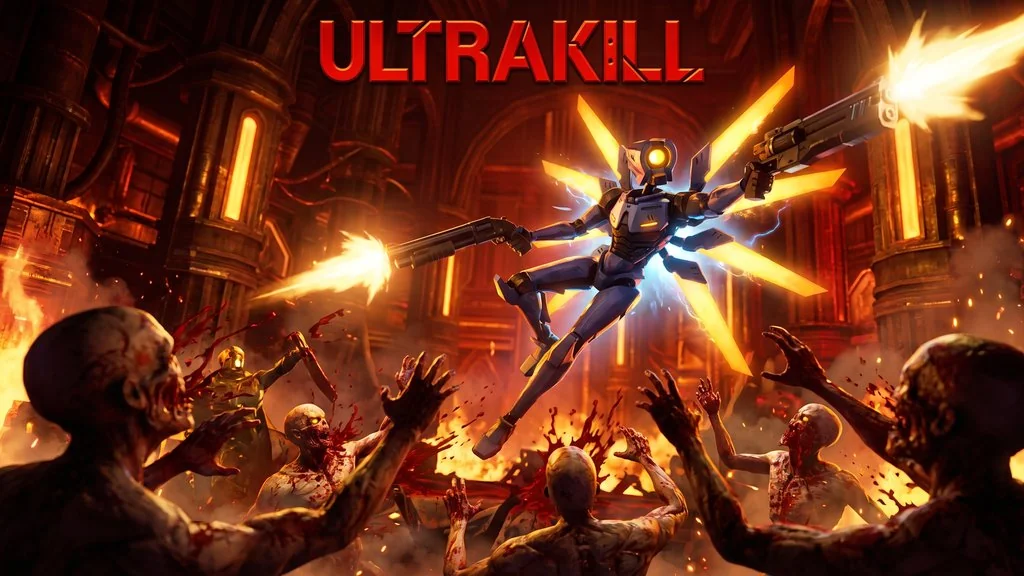
ULTRAKILL (v17d4 Build 22957324)
An FPS action that gets your adrenaline pumping? ULTRAKILL PC Full is the first thing that echoes in my head. This is a fast-paced first-person shooter with brutal and satisfying combat. Retro art style, blood everywhere, and a combo system that makes you addicted. Pre-installed, just extract and play. 🔥
Released by Hakita, this game got an Overwhelmingly Positive review on Steam. Metacritic also gave it a solid score. Crazy, an indie FPS can be this intense, making me unable to stop playing.
What makes ULTRAKILL different from other FPS games is the combo and style system. The more aggressively you play, the more style points you get. Blood becomes currency for healing. Every weapon has an alt-fire that adds variety to combat. Not just that. How could you not want to try it?
Many say ULTRAKILL is like Doom but more brutal and faster. True, this game is really challenging. Its bosses are hard to beat. But that’s what makes it addictive.
For those who like fast-paced FPS, also check out Luna Abyss which is more FPS narrative. Or Stellar Blade if you want action RPG. Go, download Ultrakill below. File size is only 3.24 GB! 👍
PC Game Info & Link Download :
- Genre: FPS, Action, Fast-paced, Retro.
- Developer: Hakita.
- Publisher: Hakita.
- Version: v17d4 Build 22957324.
- Pre-Installed, ready to play.
- Combo system, style meter, blood as currency.
- Retro art style, brutal combat, boss fights.
Minimum System Requirements :
| Component | Minimum |
|---|---|
| Operating System | Windows 7/8/10 |
| Processor | Intel Core i3 / AMD equivalent |
| RAM | 4 GB |
| Graphics Card | GTX 660 / Radeon HD 7870 |
| DirectX | Version 11 |
| Storage | 5 GB |
PC Gameplay Screenshots :


Steps to Install ULTRAKILL on Your PC :
- Download the ULTRK22957324-yasir252.rar file (3.24 GB) from the link below.
- Extract the file using WinRAR or 7-Zip.
- Run Start The Game.bat as Administrator.
- Done, enjoy! 😍
Troubleshooting Game Error, Crash & Stuck :
- Game won’t run? Check your antivirus, make sure the game folder is whitelisted in Windows Defender.
- Crash during startup? Install Visual C++ Redistributable from the Redist folder.
- Frame drop? Lower resolution or turn off vsync in Settings.
- Input lag? Make sure the game runs in fullscreen mode.
- Error 0x80004005 during extraction? Install the latest WinRAR.
