




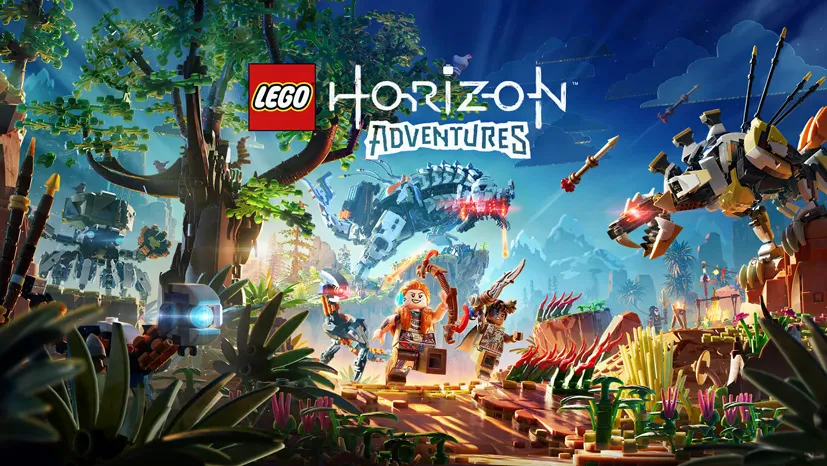
LEGO Horizon Adventures (v1.04 Build 17118306)
Ever wondered what Horizon Zero Dawn would look like if every single thing in it was built out of LEGO bricks? LEGO Horizon Adventures PC Full is the answer. Aloy returns as a machine hunter, only this time she leads a colourful crew of heroes to save the world from an ancient digital demon. I have already prepared the download link, a pre-installed file. 🔥
Honestly, I expected this to be Horizon with bricks glued on for laughs. My guess was off. Aloy’s attacks feel light. The puzzles stay simple. The pacing moves fast.
One thing that differs from the original is Mother’s Heart, the village you get to decorate on your own.
When a boss shows up big, the job gets easier with someone helping you shoot. The vibe reminds me of LEGO Voyagers, another LEGO title that plays best with a second person around.
If collecting a whole roster of characters is more your thing, I have also shared LEGO Batman Legacy of the Dark Knight. That one leans into the classic LEGO action formula.
Go ahead and download LEGO Horizon Adventures below, the file is 13.7 GB. 👍
Game Info and Download Link :
- Genre: Action, Adventure.
- Developer: Guerrilla Games, Studio Gobo.
- Publisher: PlayStation Publishing LLC.
- Release Date: November 14, 2024.
- Version: v1.04 (Build 17118306).
- Pre-Installed, direct download.
- More than one playable hero, including Varl and Erend.
Minimum System Requirements :
| Component | Minimum | Recommended |
|---|---|---|
| Operating System | Windows 10 64-bit | Windows 10 64-bit |
| Processor | Intel Core i5-8400 or AMD Ryzen 5 2600 | Intel Core i5-10600K or AMD Ryzen 5 3600 |
| RAM | 16 GB | 16 GB |
| Graphics Card | NVIDIA GeForce GTX 1650 or AMD Radeon RX 580 | NVIDIA GeForce RTX 3070 or AMD Radeon RX 6800 |
| Storage | 30 GB | 30 GB |
PC Gameplay Screenshots :


Steps to Install on Your PC :
- Download the LGHDRZ.rar file (13.7 GB) below.
- Extract the file with WinRAR or 7-Zip.
(password www.yasir252.com) - Open the extracted folder.
- Install vcredist_x64.exe and DXWebSetup.exe from the Redist folder if the game refuses to launch.
- Open Steam and sign in, then run Start The Game.bat (Run as Administrator).
- Add the game folder to the Windows Defender exception list so no files get removed automatically.
Fixing Game Errors, Crashes and Stutters :
- Check your antivirus and make sure the game folder is whitelisted in Windows Defender.
- Crashing while loading? Update DirectX Runtime and Visual C++ Redistributable.
- Game will not open? Run it as Administrator and update Windows to the latest version.
- Stuttering and frame drops? Update your GPU driver and turn off V-Sync.
- Loading into the game takes a while. Just be patient.
- Always extract the game on the root drive, for example C:\Games\ or D:\Games\.
- … Reserved for other cases …
