




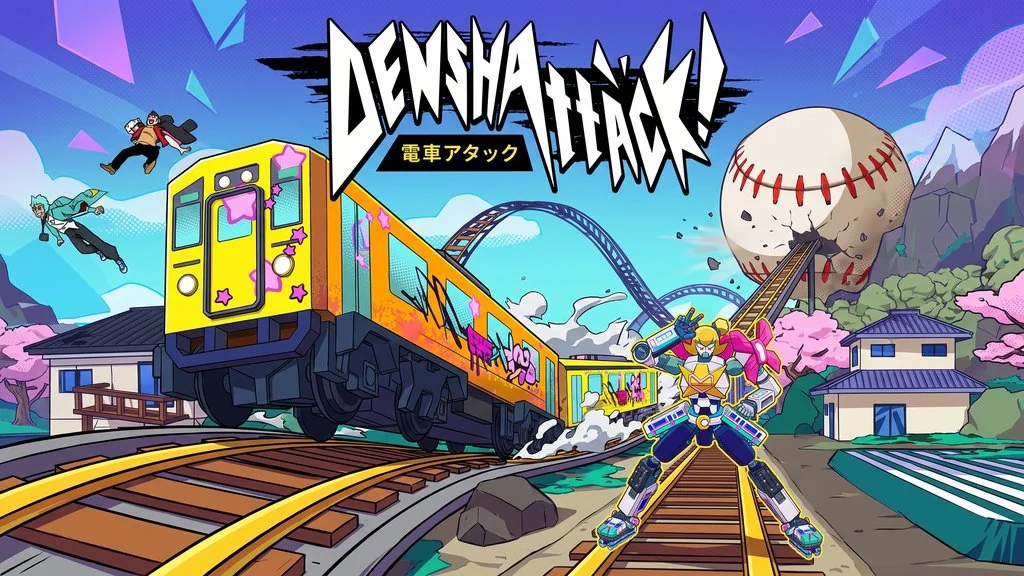
Denshattack (v1.4.1.2 g Build 25930253)
Want to play a wildly intense rhythm-action game that gets your heart racing? Denshattack PC Full puts you in control of a train that has to clear obstacles while following the music’s beat. Super challenging, yet incredibly addictive. Pre-installed, just extract it and play. I shared the download link below. 🔥
Released by Mighty Pebble, I first thought Denshattack was some random, pointless rhythm game. Yeah, maybe like Subway Surfers, except you are the train. But it turns out to be more unique than it looks. The movement speed is insane, and it genuinely tests my reflexes.
Its Steam reviews are Overwhelmingly Positive. A lot of players say it is fun, but brutal.
Personally, I find it really fun once you get into the rhythm. That said, some levels are seriously hard. To me, it feels “too hard to be fun” and “limited and repetitive.”
If you enjoy challenging rhythm games, you can install Rift of the Necrodancer as well. It is rhythm-based too, but a little easier. For a more casual and replayable rhythm-action game, I would recommend Geometry Dash instead.
Go ahead and download it below. It is 7.2 GB, fairly large for a rhythm game. 👍
Denshattack PC Game Info and Download Link :
- Genre: Rhythm, Action, Runner, Hardcore.
- Developer: Mighty Pebble.
- Publisher: Mighty Pebble.
- Release Date: July 15, 2026.
- Version: v1.4.1.2 g Build 25930253.
- Pre-Installed, Start The Game.bat.
- Rhythm-based action with train runner mechanics.
Minimum System Requirements :
| Component | Minimum |
|---|---|
| Operating System | Windows 10 (64-bit) |
| Processor | Intel Core i3 / AMD equivalent |
| RAM | 32 GB |
| Storage | 15 GB |
Minimum Specifications (System Requirements) :


Steps to Install Denshattack on Your PC :
- Download DENSv1412.rar (7.2 GB) from the link below.
- Extract the file using WinRAR or 7-Zip.
- Open the Denshattack! v1.4.1.2 g Build 25930253 folder.
- If you encounter a component error, install the runtime from the Redist folder.
- Run Start The Game.bat.
- Done, start playing right away! 😍
Fixing Game Errors, Crashes and Stuck Issues :
- Game crashes at startup? Make sure no game files were deleted or quarantined by your antivirus.
- Running out of memory? 16 GB of RAM is not enough. You need 32 GB of RAM for smooth gameplay.
- DualSense not working? Install DS4Windows from Google, it is free.
- Game too difficult? This game is hardcore, try lowering the speed in settings.
- … Reserved for other cases …
